TextNow Call Rejected: What It Means & How to Fix It
TextNow Call Rejected: What It Means & How to Fix It
You dial a number through TextNow, and instead of ringing through, you get an immediate message or tone telling you the call was rejected. It is frustrating, confusing, and often happens at the worst possible time. If you have been running into this problem and wondering exactly what a TextNow call rejected message means and what you can do about it, you are in the right place.
This guide breaks down the most common reasons behind a rejected call on TextNow, explains what the different scenarios mean, and walks you through practical fixes you can try right now. Whether this is a one-time hiccup or a recurring problem, the steps below should help you get back to making calls without interruption.
Disclaimer: This is an independent, fan-made resource and is not affiliated with, endorsed by, or officially connected to TextNow, Inc. in any way. For official support, please visit the TextNow website directly.
What Does Call Rejected Mean on TextNow?
Before jumping into fixes, it helps to understand what is actually happening when a call gets rejected. The term “call rejected” on TextNow does not always mean the same thing. There are a few different situations that can trigger that message or tone.
The Recipient Actively Declined the Call
The most straightforward explanation is that the person you are calling pressed the decline button on their end. When someone actively rejects an incoming call, your call ends immediately and you may hear a busy signal or get a brief notification. This is not a TextNow error at all – it is just the other person choosing not to answer.
Your Number Has Been Blocked
If your TextNow number has been blocked by the recipient, the call will often reject almost instantly. Some devices and carriers send an automatic rejection signal when a blocked number tries to call. This can feel identical to a network error, but the pattern – calls rejecting immediately every single time you try that one specific contact – is a strong indicator that a block may be in place.
A Network or VoIP Routing Issue
TextNow uses Voice over Internet Protocol (VoIP) technology to route calls. If there is a problem with the network path between TextNow’s servers and the destination carrier, calls can be rejected at the carrier level before they ever reach the person you are trying to call. This is often temporary and can affect multiple numbers, not just one.
Account or Subscription Restrictions
Free TextNow accounts have certain limitations. If your account has flagged activity, a lapsed subscription, or specific calling restrictions based on your plan, outgoing calls may be rejected automatically. This is less common but worth considering if you are on a free tier or if your payment did not process correctly.
App or Device Configuration Problems
Sometimes the issue is local to your device. Outdated app versions, corrupted cache data, incorrect microphone permissions, or poor Wi-Fi and mobile data signal can all cause calls to fail before they connect properly, which can look like a rejection from the outside.
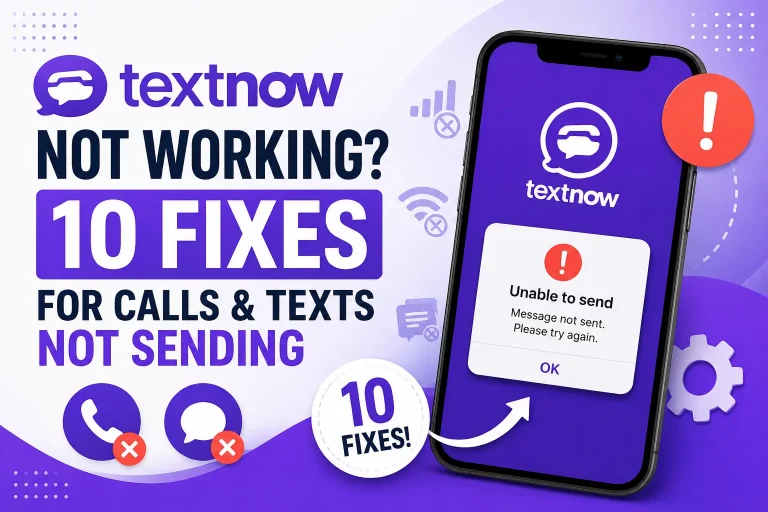
How to Fix a Rejected Call on TextNow
Now that you have a clearer picture of what call rejected TextNow actually means, let’s go through the fixes in order from simplest to more involved.
Fix 1: Wait a Few Minutes and Try Again
This sounds too simple, but many VoIP call failures are caused by temporary routing issues on the network side. If you try a call and it rejects instantly, wait two to three minutes and dial again. If the second attempt goes through, the problem was likely a brief network hiccup and nothing more.
Fix 2: Check Your Internet Connection
TextNow calls depend entirely on a stable internet connection. A weak Wi-Fi signal or slow mobile data can cause calls to drop or reject before they connect. Try these steps:
- Move closer to your Wi-Fi router
- Toggle airplane mode on and off to reset your connection
- Switch from Wi-Fi to mobile data (or vice versa) to see if one works better
- Run a speed test to confirm your connection is stable
Fix 3: Try Calling a Different Number
If the call rejection only happens with one specific contact, the issue is almost certainly on their end or related to a block. Try calling a different number entirely. If those calls go through fine, you have narrowed the problem down to that specific contact rather than your app or account.
Fix 4: Update the TextNow App
Running an outdated version of the TextNow app can cause all sorts of problems, including call failures. Open the App Store (iOS) or Google Play Store (Android), search for TextNow, and check whether an update is available. If one is listed, install it and try your call again.
Fix 5: Clear the App Cache (Android)
On Android devices, cached data can become corrupted and interfere with app functions including calling. Here is how to clear it:
- Go to your phone’s Settings
- Tap Apps or Application Manager
- Find and select TextNow
- Tap Storage
- Tap Clear Cache
Note: Clearing the cache does not delete your account or messages. After clearing, open TextNow and try your call again.
Fix 6: Check App Permissions
TextNow needs permission to access your microphone to make calls. If that permission was accidentally revoked, calls can fail or behave unexpectedly. Check this by going to your phone Settings, finding TextNow in your Apps list, tapping Permissions, and making sure Microphone access is enabled.
Fix 7: Log Out and Log Back In
Refreshing your session can resolve account-level connection problems. Log out of your TextNow account from within the app, close the app fully, reopen it, and log back in. Then try making your call again.
Fix 8: Reinstall the TextNow App
If clearing the cache and logging out did not help, a full reinstall is the next step. Uninstall TextNow from your device, restart your phone, then download and install a fresh copy of TextNow from the official app store. Log in with your existing credentials and test a call.
Fix 9: Check Your Account Standing
Log in to your TextNow account and review your account status. Check whether your subscription is active, whether there are any alerts or notices, and whether your payment method is up to date if you are on a paid plan. You can find TextNow APK guides and general account information at this site, but for direct account management you will need to log into TextNow’s official platform.
Fix 10: Contact TextNow Support
If none of the above steps resolve the issue and you are consistently seeing call rejected errors across multiple numbers and sessions, it is time to reach out to TextNow’s official support team. They can check whether there is a known outage, a server-side issue affecting your account, or any restrictions applied to your number. Look for the Help or Support option inside the app or visit their official website.
Frequently Asked Questions
Does “call rejected” on TextNow always mean I am blocked?
Not necessarily. While being blocked is one possible cause, a call rejected message can also result from network issues, carrier-side rejections, app glitches, or the recipient simply pressing decline. If it happens consistently with only one number, a block is more likely. If it happens across multiple contacts, the issue is probably on your device or account.
Can I tell the difference between being blocked and a network error?
It can be difficult to tell for certain. A general pattern to watch for: if calls to one specific number reject instantly every single time while calls to other numbers work fine, being blocked is a strong possibility. If rejections happen across many numbers or come and go, a network or app issue is more likely the culprit.
Will reinstalling TextNow delete my phone number?
No. Your TextNow phone number is tied to your account, not your device installation. As long as you log back in with the same account credentials after reinstalling, your number will still be there.
Does TextNow have call limitations on free accounts?
TextNow free accounts do have some limitations compared to paid plans, though the specific details can change over time. If you are experiencing consistent calling issues on a free account, reviewing your plan’s current limitations or upgrading to a paid tier may help.
What if only certain area codes are getting rejected?
This can indicate a carrier-level routing issue. Certain carriers or regions may have compatibility challenges with VoIP providers from time to time. In this case, waiting for the issue to resolve on the network side or contacting TextNow support is your best option.
Final Thoughts
A TextNow call rejected message can mean several different things depending on the context, and figuring out the exact cause is the key to finding the right fix. Start with the simplest solutions first – checking your connection, trying a different number, and restarting the app – before moving on to more involved steps like reinstalling or contacting support.
Most call rejection issues on TextNow turn out to be temporary or fixable with a straightforward troubleshooting step. Work through the list above systematically and you should be back to making calls without problems in no time.
This article is published by an independent fan-run website and is not affiliated with or officially endorsed by TextNow, Inc. Information provided here is for general guidance only.